
Our product Healthcare
Carova Health Connect
A booking platform that connects patients, doctors and diagnostic laboratories. We conceived, designed and built it ourselves: three mobile apps and the console our team uses to run it.
Launching 1 January 2027
Visit carova.in(opens in a new tab)- Our role
- Product strategy, UX and UI design, mobile and web engineering, operations tooling
- Delivered
- Carova patient app, Carova Doctor, Carova Lab, admin console, carova.in
- Sector
- Healthcare, India
- Year
- 2026
01 Overview
Three apps, one booking.
Carova lets a patient find a doctor or a diagnostic lab, see real availability and fees, pay, and follow the booking through to a finished consultation or an uploaded report.
Each side of that booking has its own app. Doctors and laboratories manage their services, hours, rules and staff in theirs. Patients book in the patient app. Behind them, an admin console lets the Carova team verify providers, watch bookings and reconcile payments. As our own product, we took it from the first idea to product design, engineering and the operational tooling needed to launch.
02 The challenge
Booking care still runs on phone calls.
For many patients, booking a consultation or a diagnostic test means calling around, waiting to hear whether a time is free and keeping track of paper reports. Clinics and labs take the same requests by phone and message and keep track of them by hand.
A platform that sits between them has to earn trust on both sides. Patients need to know a slot is real and that they will get their money back if something falls through. Providers need control over their own schedule and a clear view of what they will be paid.
03 Product decisions
Four rules the product had to keep.
We set these rules before designing the screens. Each one shows up in the product as a concrete behaviour rather than a line in a policy.
- 01
Show only what can be booked
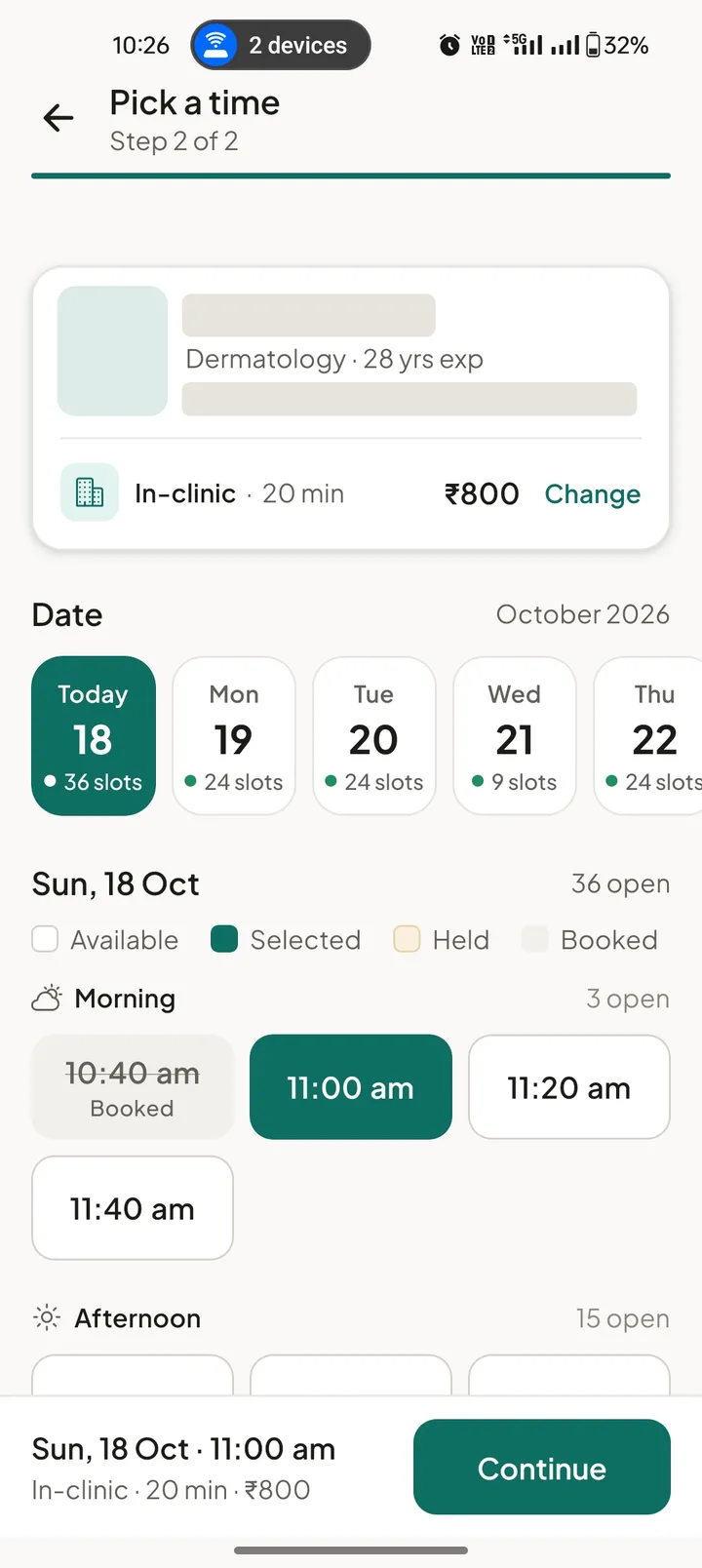
Every slot is marked available, held or booked. A slot is held while the patient pays and released if they leave checkout, so two people cannot book the same time.
- 02
Make every rupee visible
The service fee and platform fee are itemised before payment. If a provider declines or does not reply in time, the booking closes and the refund starts on its own.
- 03
Let providers set the rules
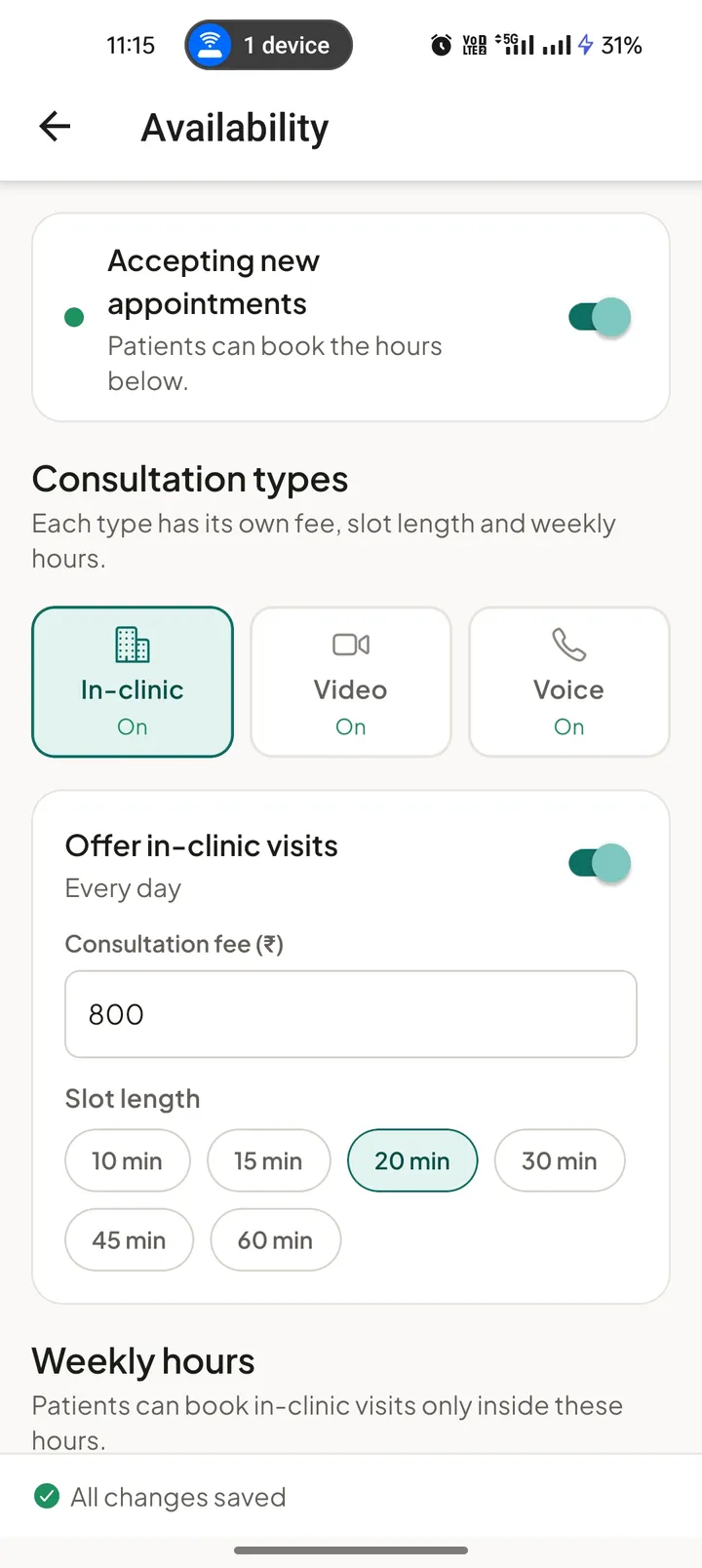
Doctors run in-clinic, video and voice consultations separately, each with its own fee, slot length and weekly hours, plus limits on notice, booking window and request expiry.
- 04
Verify people, not just forms
Doctors and laboratories register with their documents and a 20-second verification video. A person on the Carova team reviews every application before a profile goes live.
04 Patient app
From a speciality to a confirmed slot.
The patient app is built around two jobs: seeing a doctor and getting a test done. Both start from what the patient needs rather than from a provider’s name, and both show the fee before anything is committed.
Family members and addresses are saved once and reused, so booking a home collection for a parent takes the same few steps as booking for yourself.
Consultations
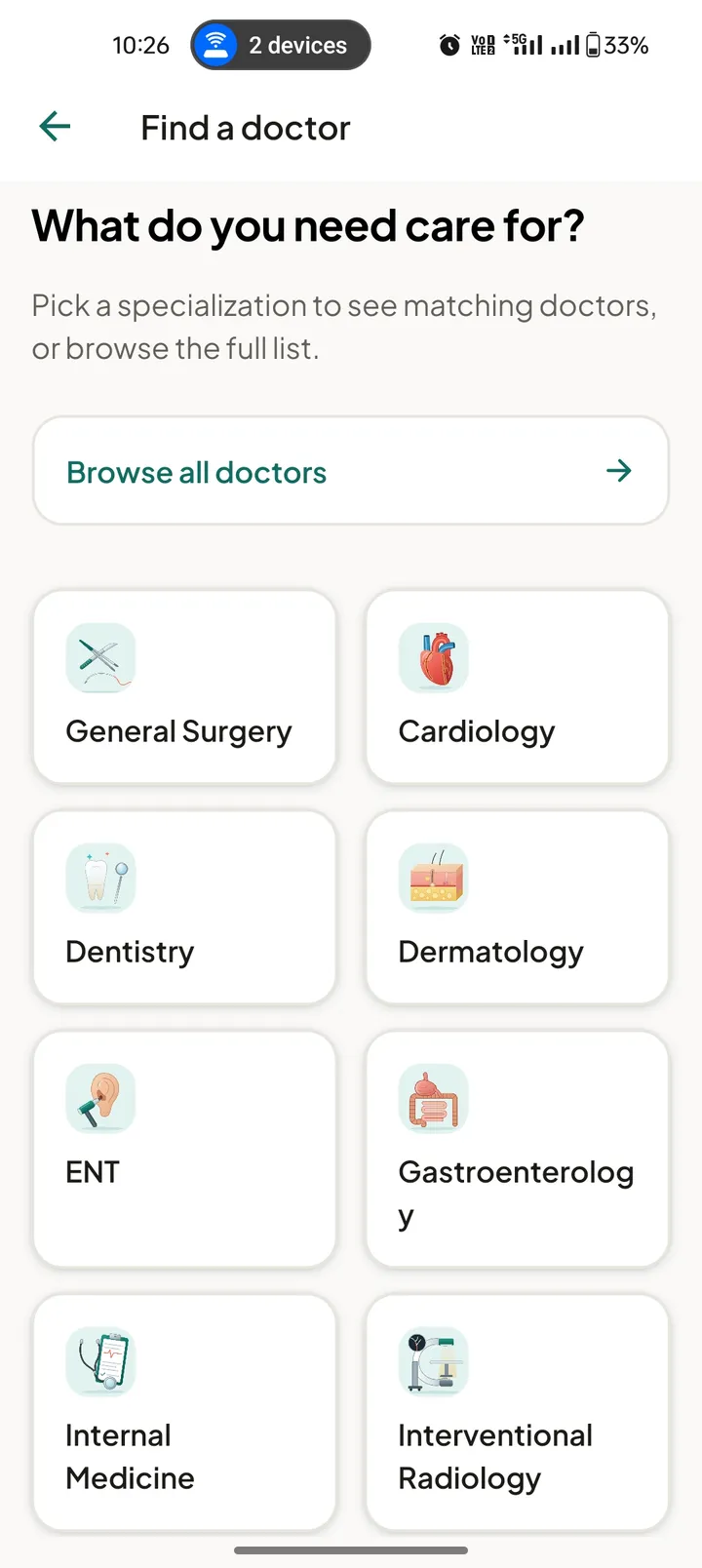
Start from a speciality or browse every doctor. 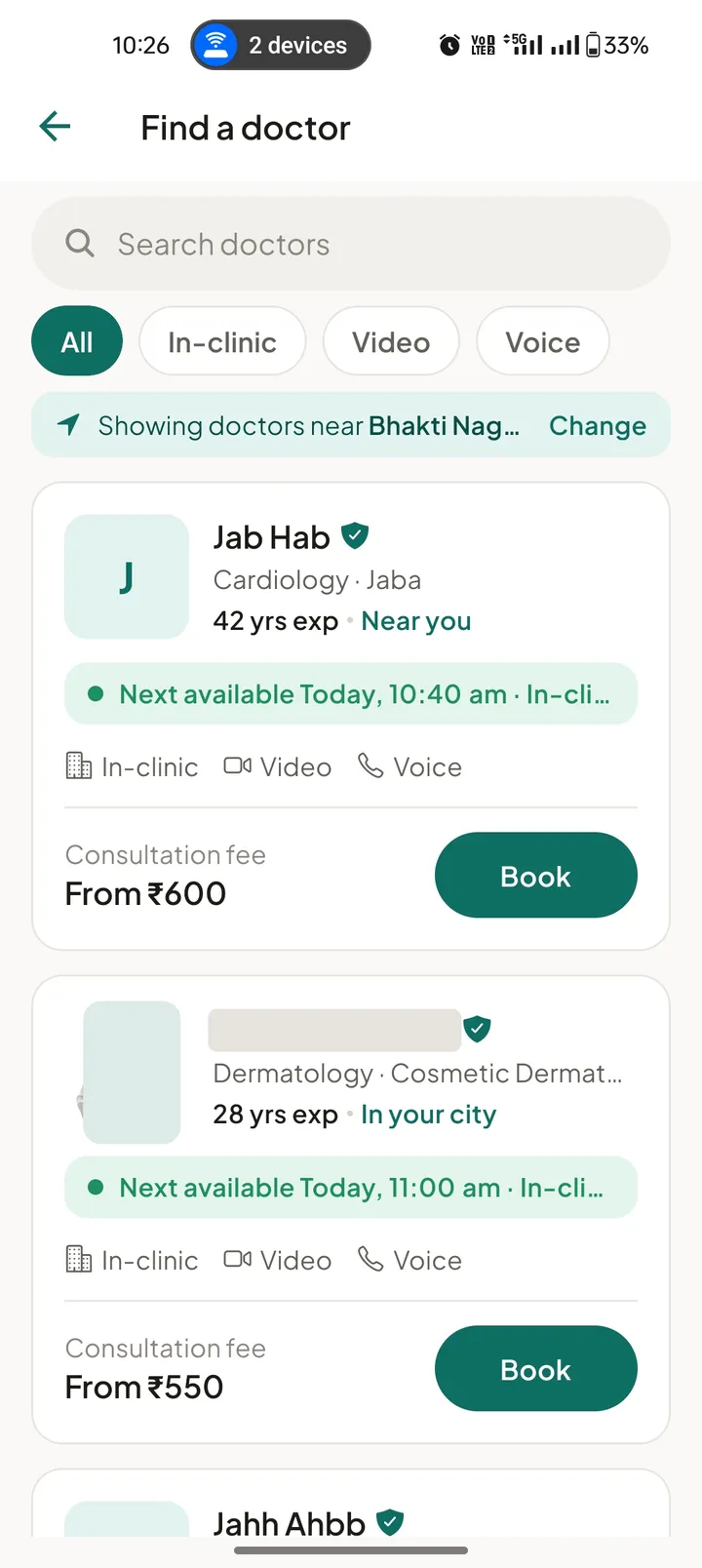
Filter by in-clinic, video or voice and see the next open time. Slots marked available, held or booked. 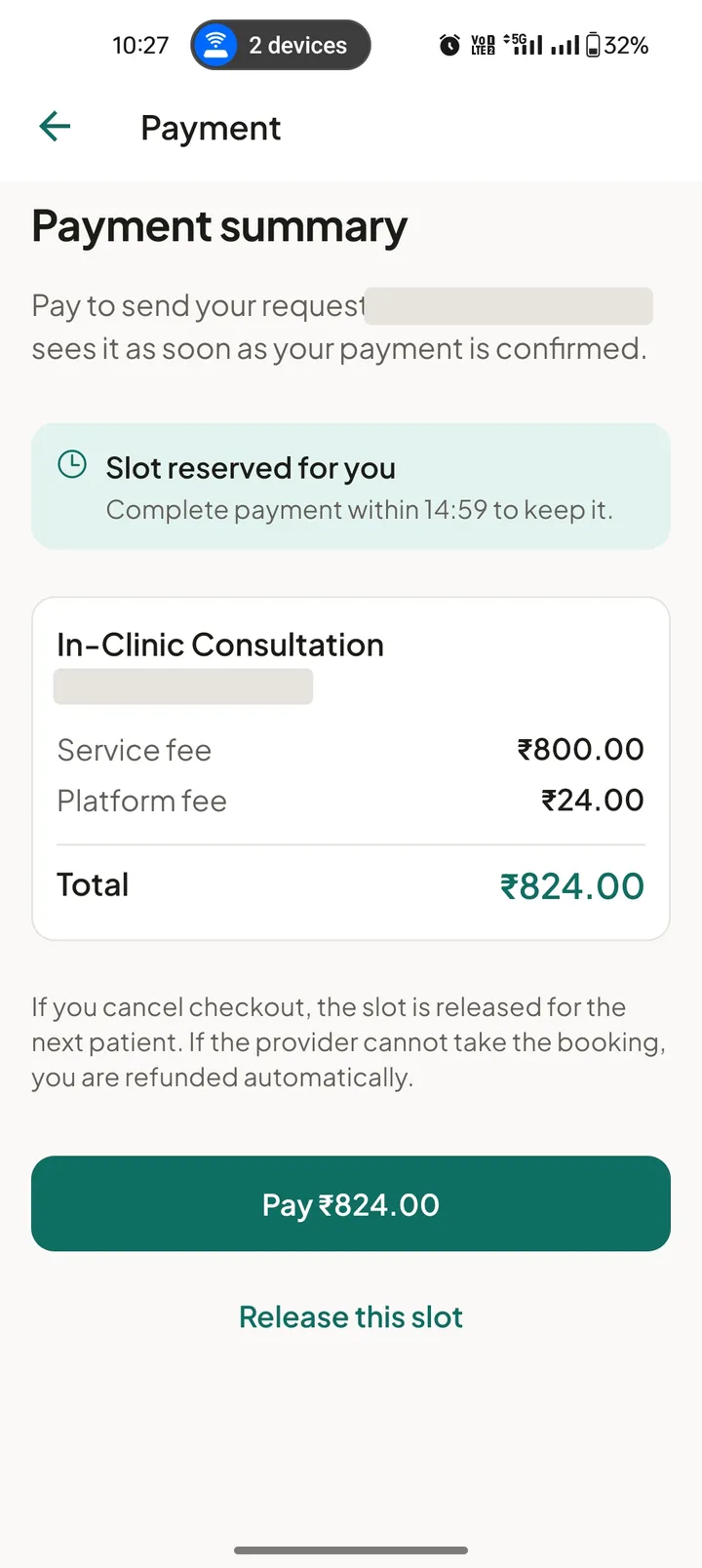
The slot is reserved while the patient pays.
Lab tests
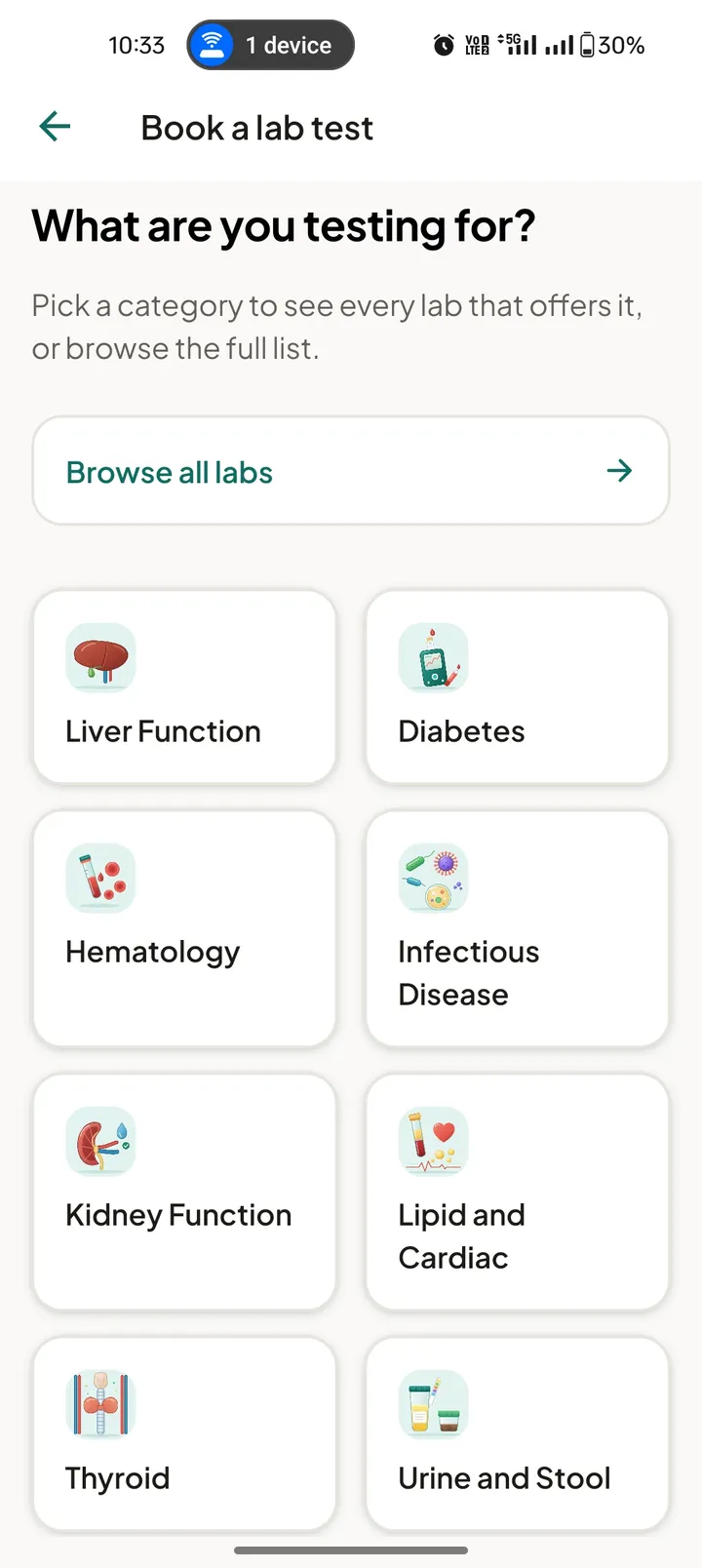
Tests grouped by category. 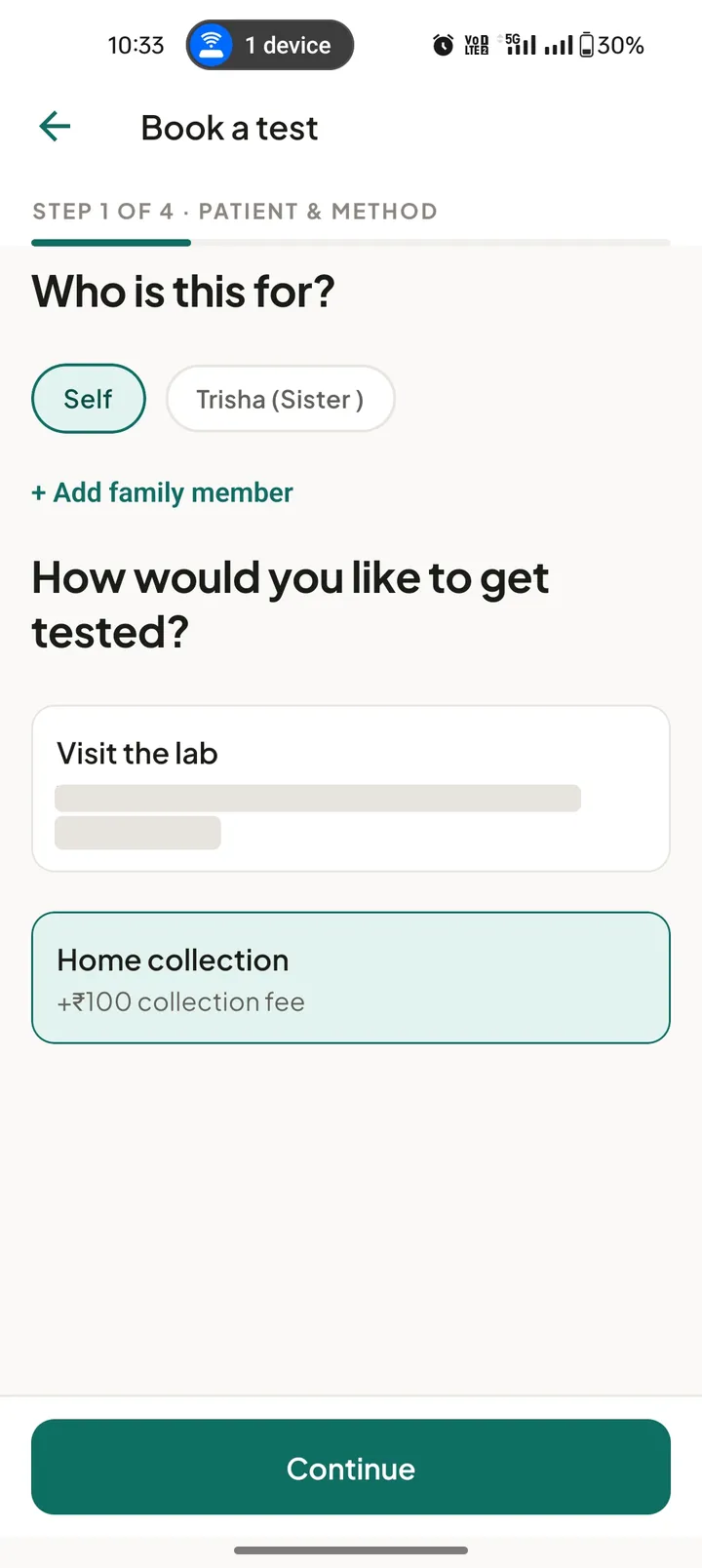
Book for yourself or a saved family member. 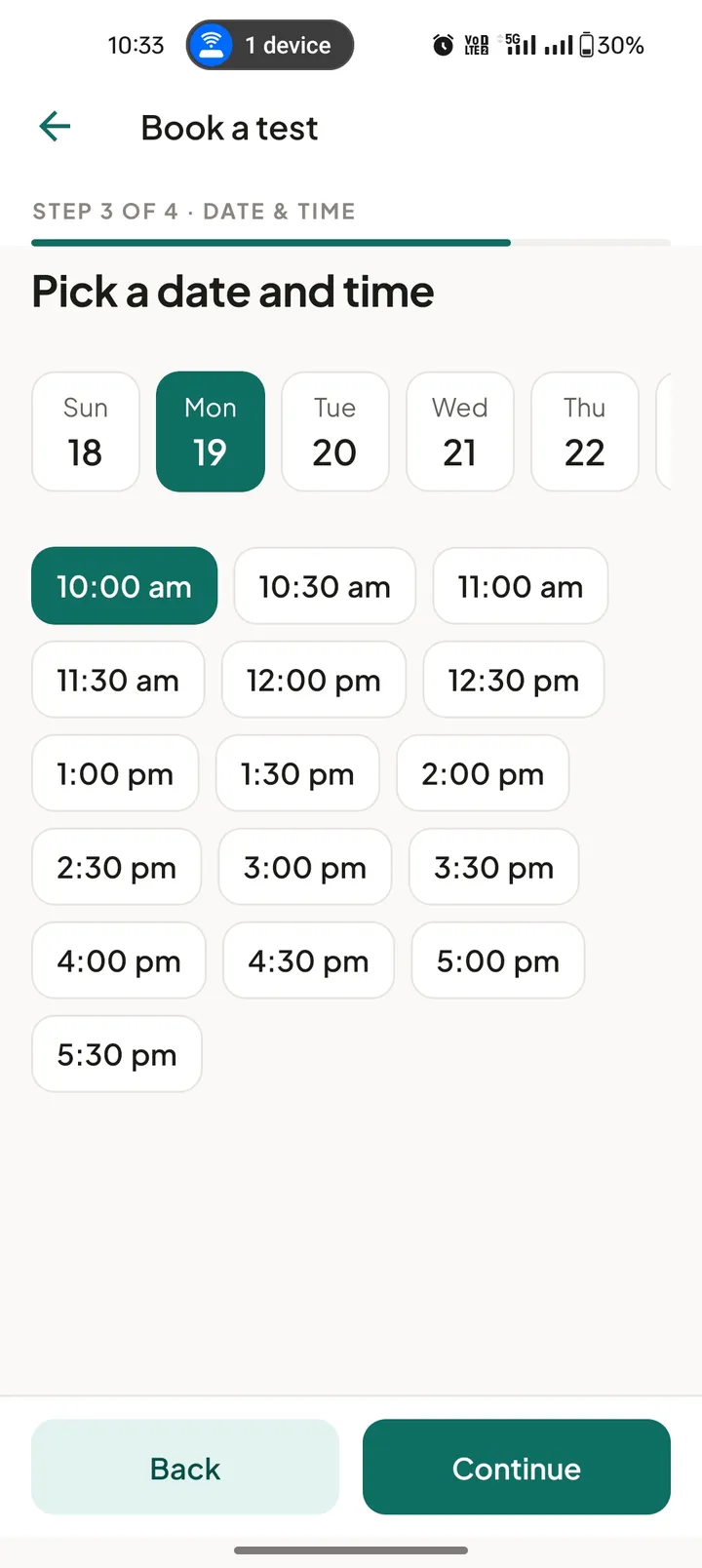
A lab visit or home collection at a chosen time. 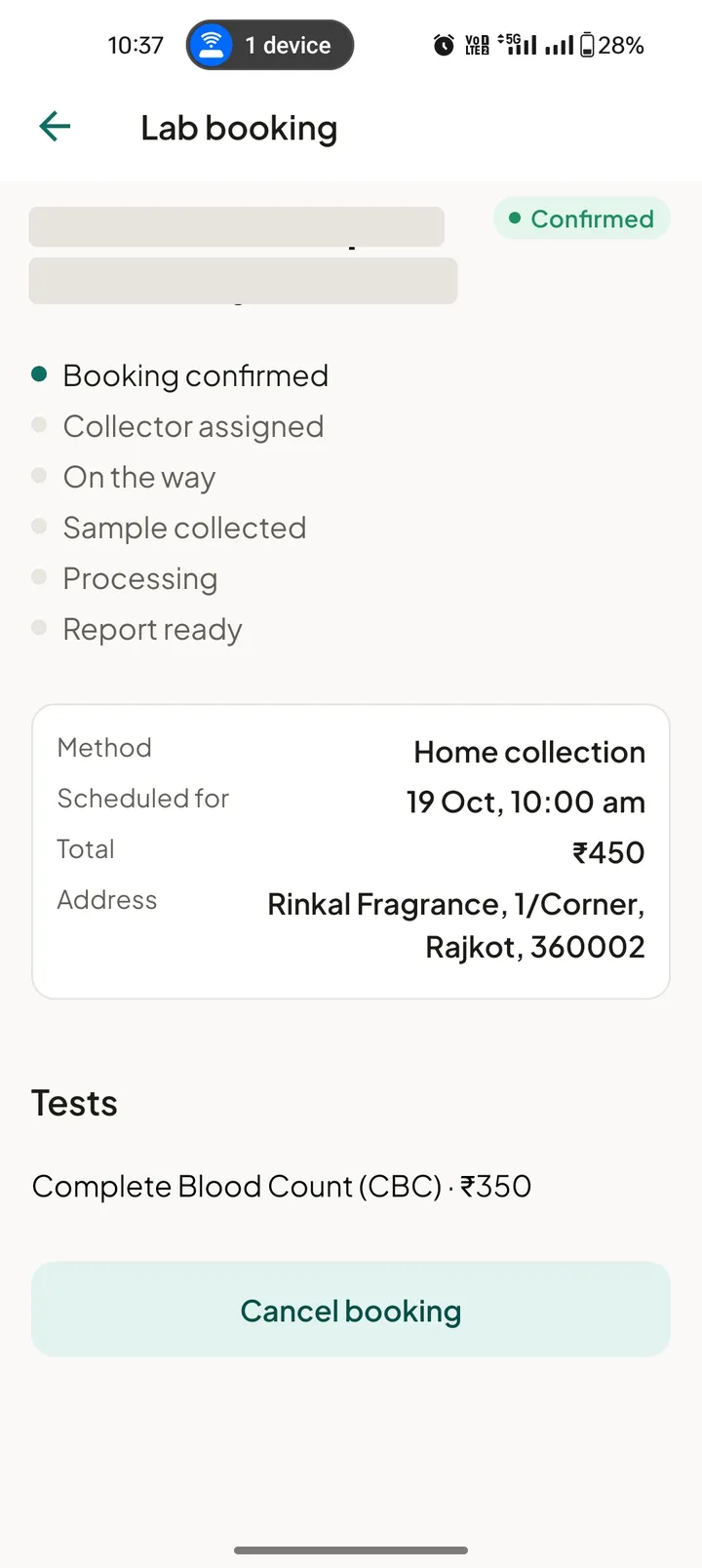
Follow the sample from booking to report.
05 How a booking moves
One booking, followed end to end.
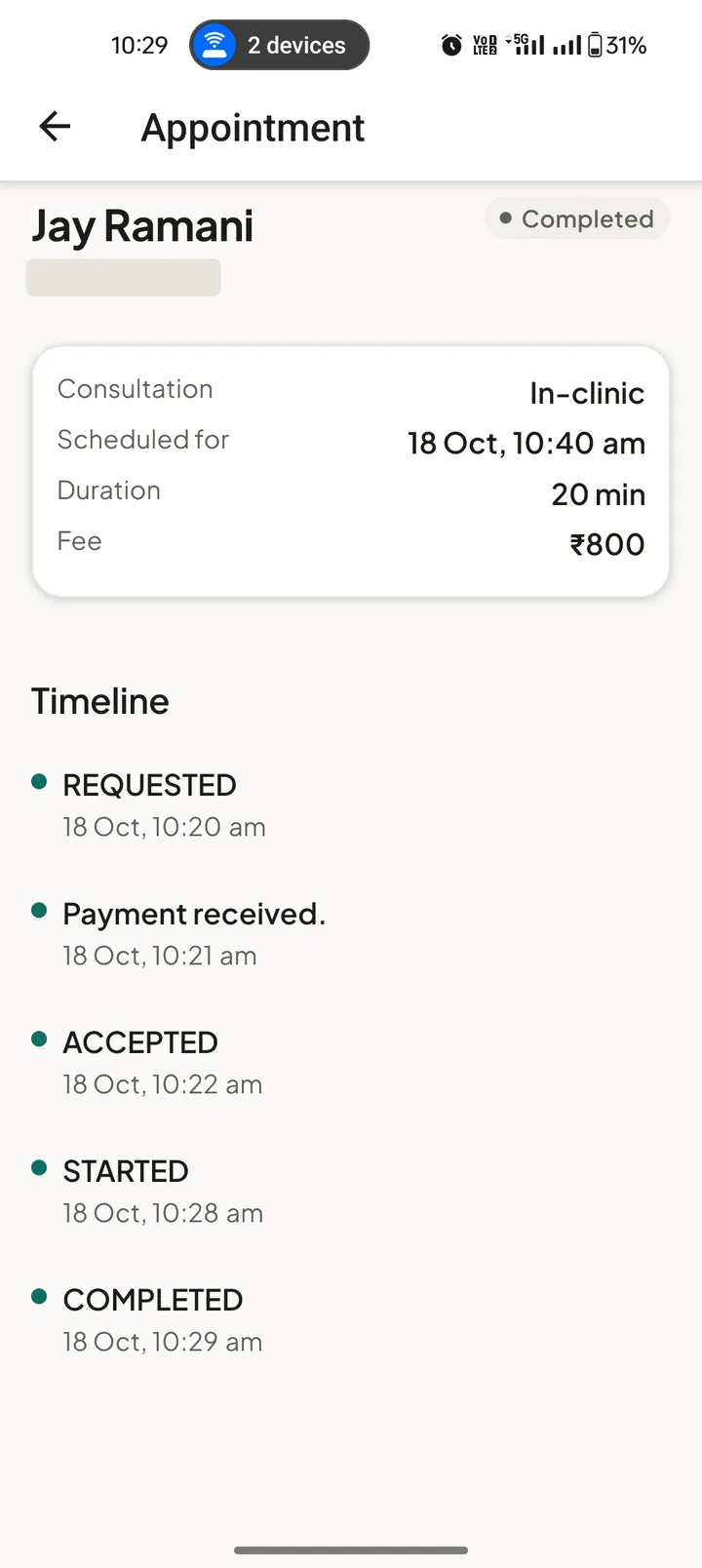
The patient, the provider and the Carova team all look at the same booking. Each sees the part that matters to them, with the same timestamps.
- 01
Requested
The patient picks a doctor or lab, a consultation type or collection method, and a time. The slot is held for them.
- 02
Paid
Payment happens in the app through Cashfree. The request reaches the provider only once the payment is confirmed.
- 03
Accepted
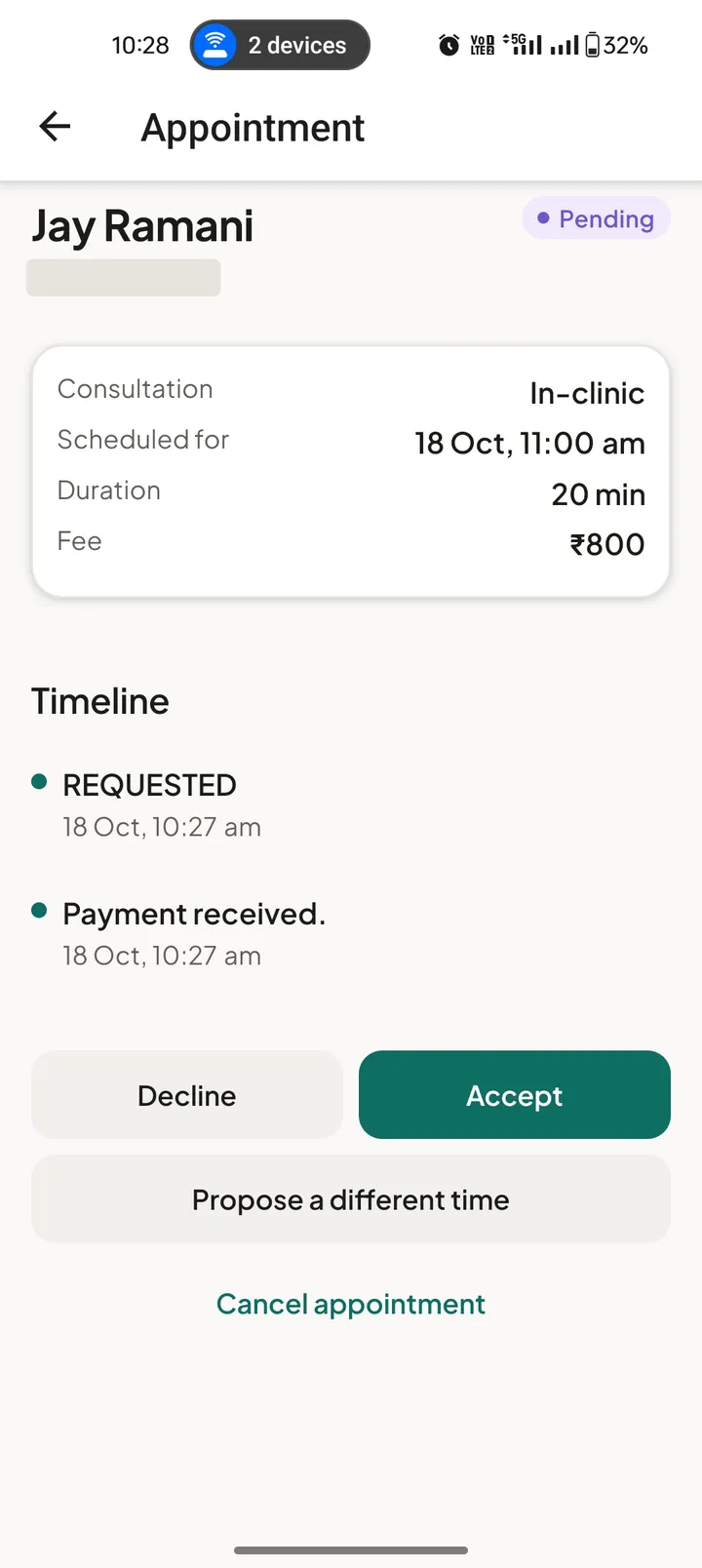
The provider accepts, declines or proposes another time. A request left unanswered expires and is refunded automatically.
- 04
Delivered
The consultation runs in the clinic or as an in-app video or voice call. For lab tests, a collector visits and the report is uploaded to the app.
- 05
Settled
Carova keeps 7% of the service amount. The rest is settled to the provider’s verified bank account or UPI ID, with the bank reference shown once paid.
06 Carova Doctor
A practice run on the doctor’s terms.
Doctors decide how they work: which consultation types they offer, what each costs, how long a slot is and when they are available. Booking rules stop patients booking too late or too far ahead.
The earnings screen shows every consultation with its fee, the 7% commission and the amount paid out, so a doctor never has to work out what they are owed.
Separate fee, slot length and hours for each consultation type. 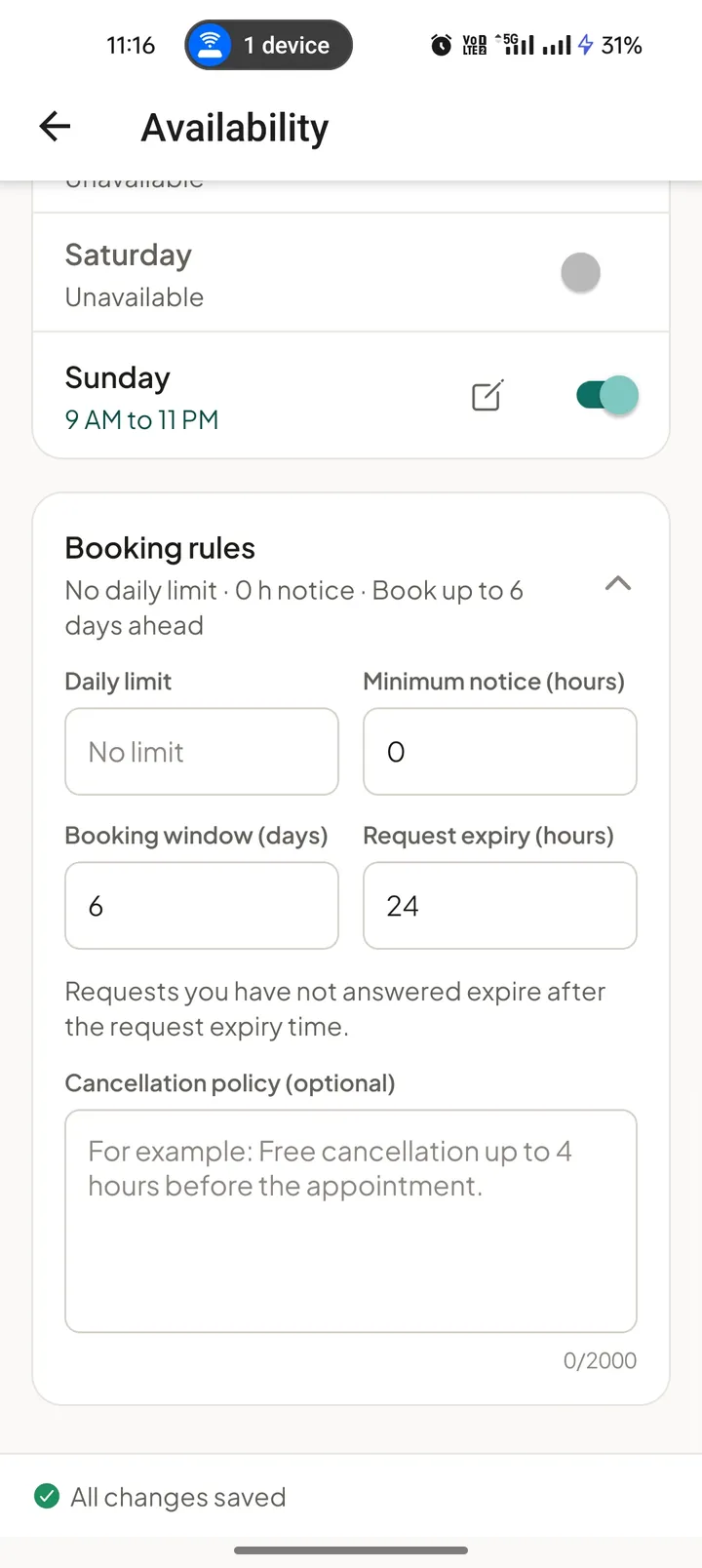
Daily limit, minimum notice, booking window and request expiry. 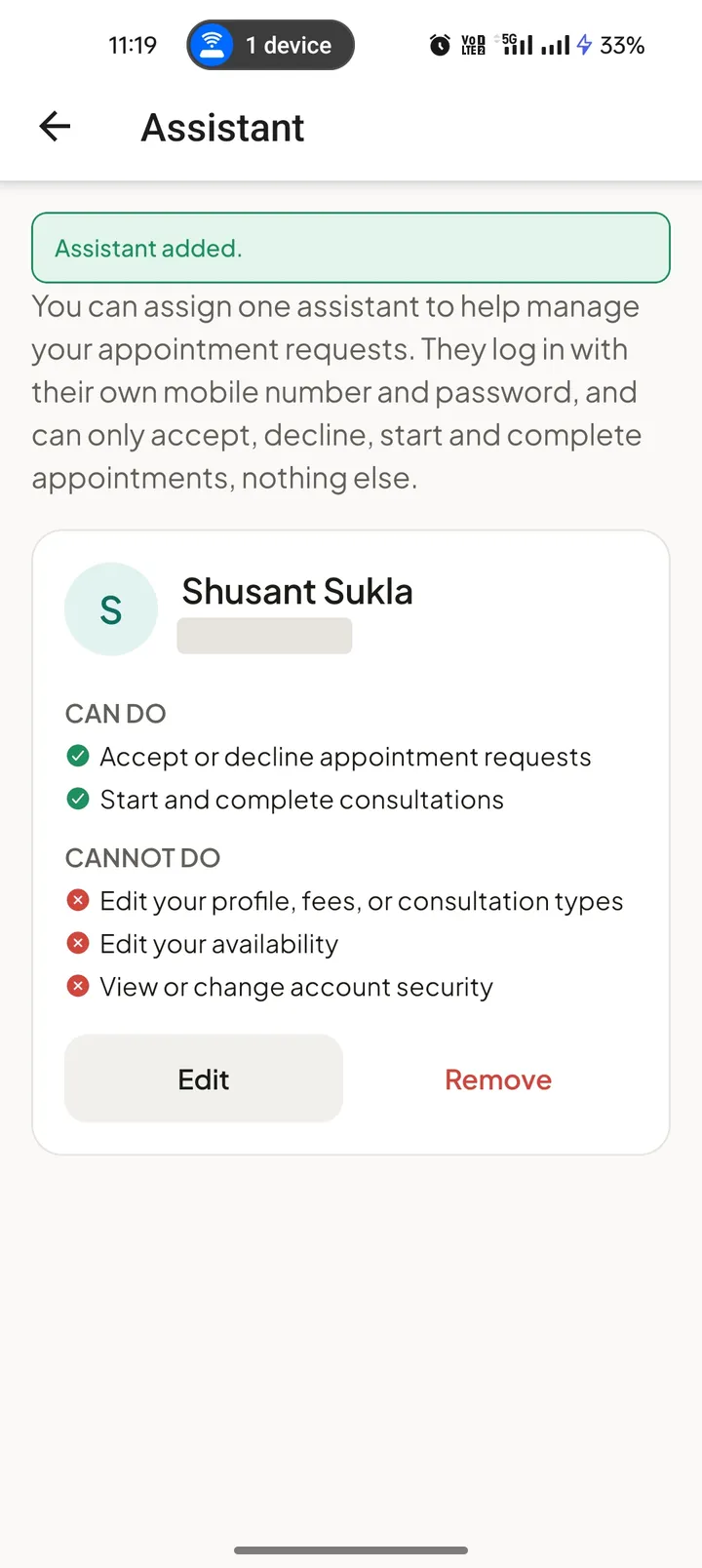
One assistant account with clearly limited permissions. 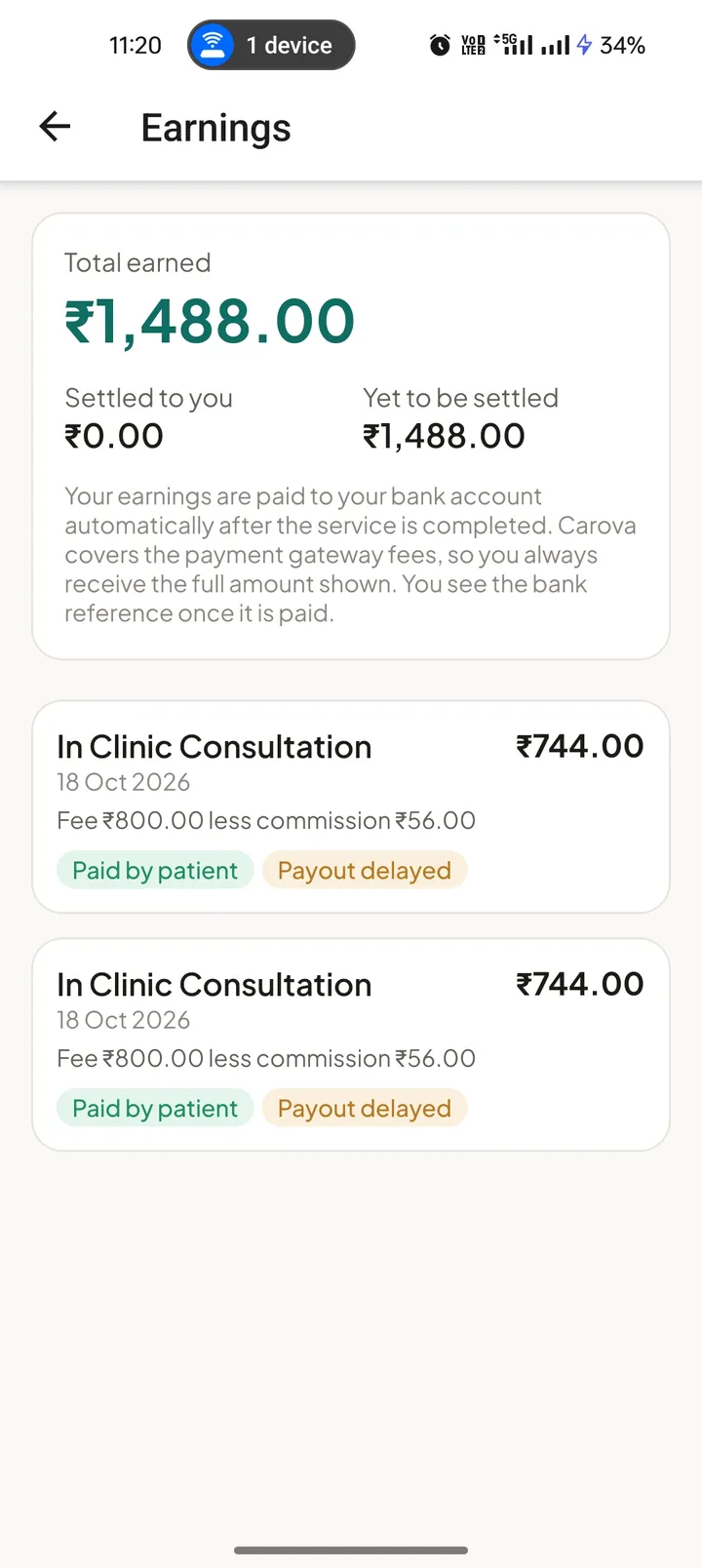
Each fee, the commission and the amount settled.
07 Carova Lab
Built for the daily work of a laboratory.
A lab lists its tests and packages, decides whether it offers home collection and where, and sets how many visits each slot can take. Collectors sign in with their own accounts and update each visit, so the patient can follow it.
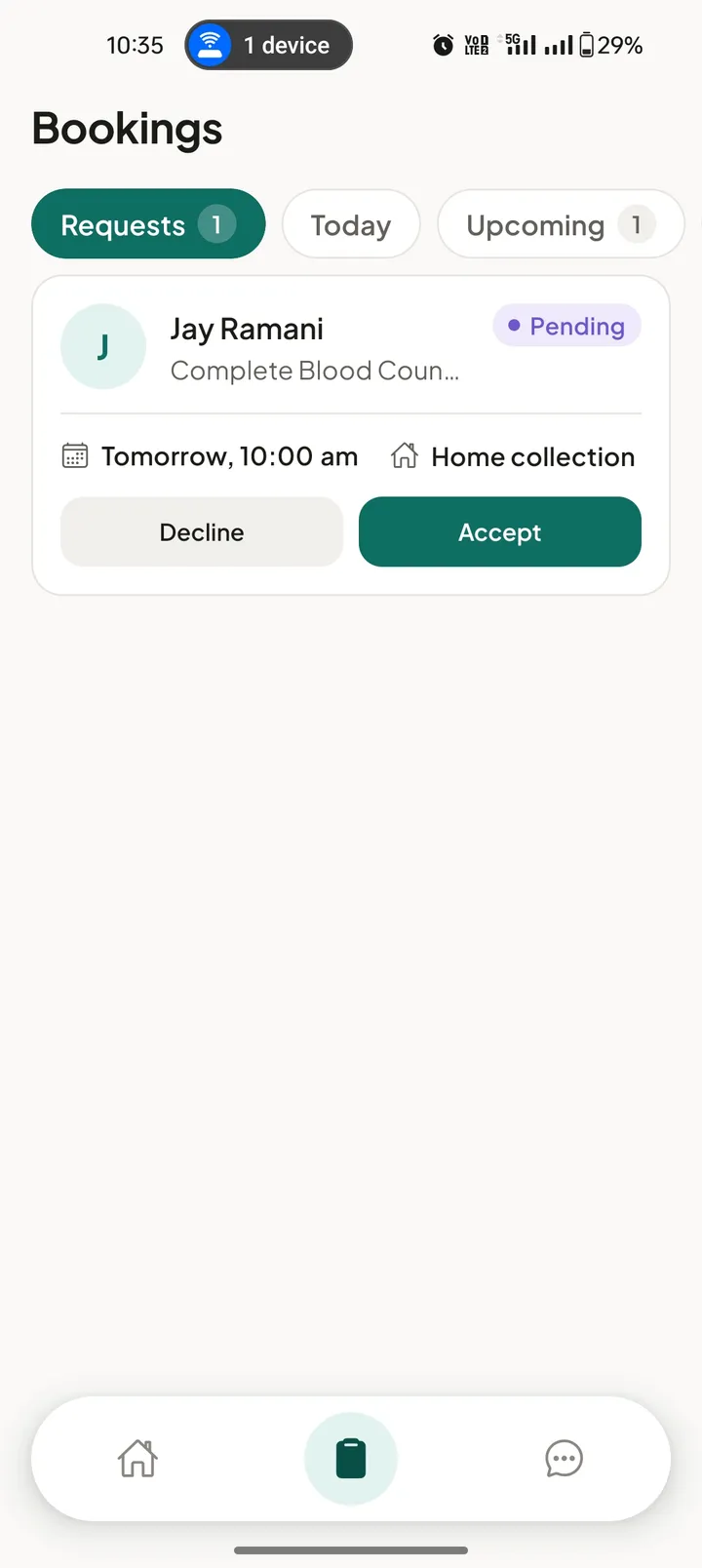
Incoming bookings to accept or decline. 
Tests with price, sample type, preparation and report time. 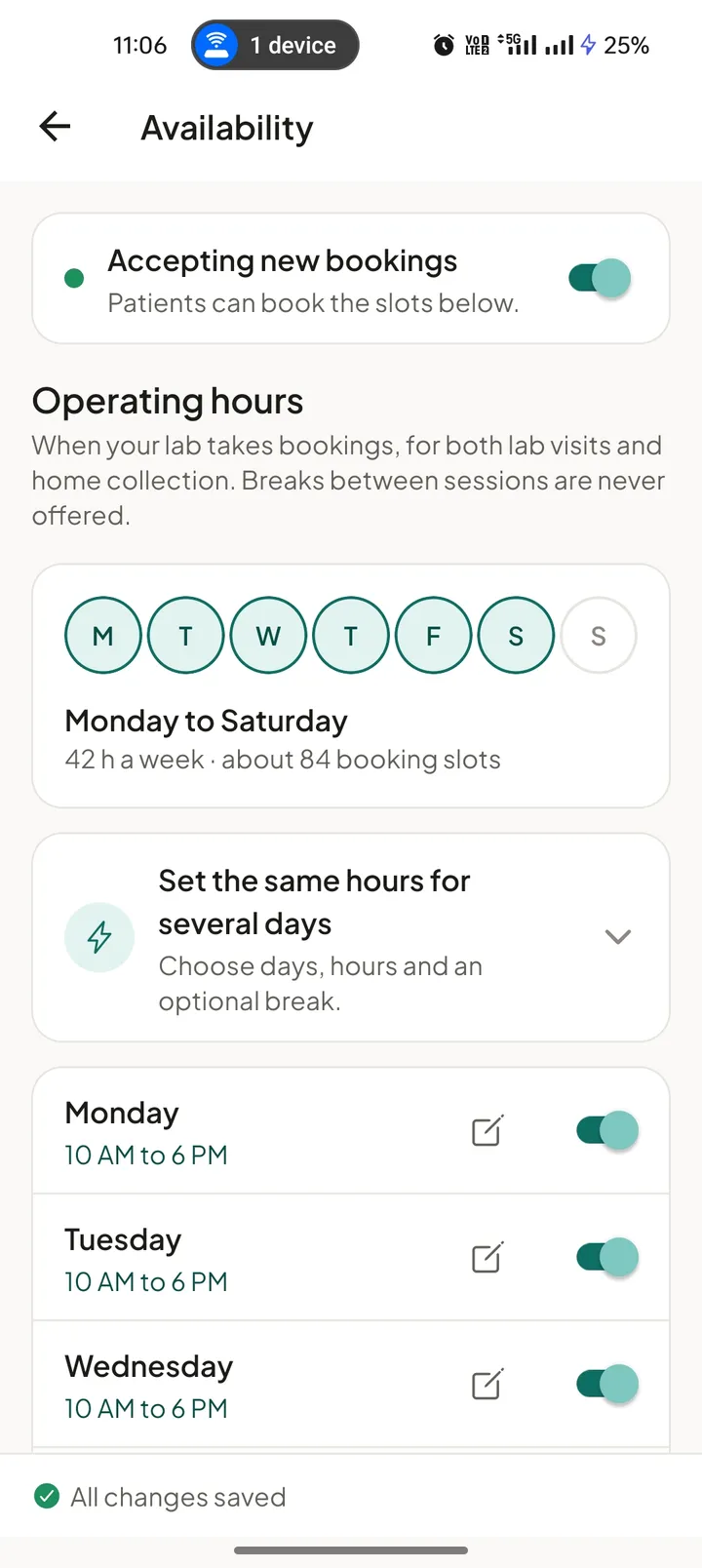
Operating days and hours that turn into bookable slots. 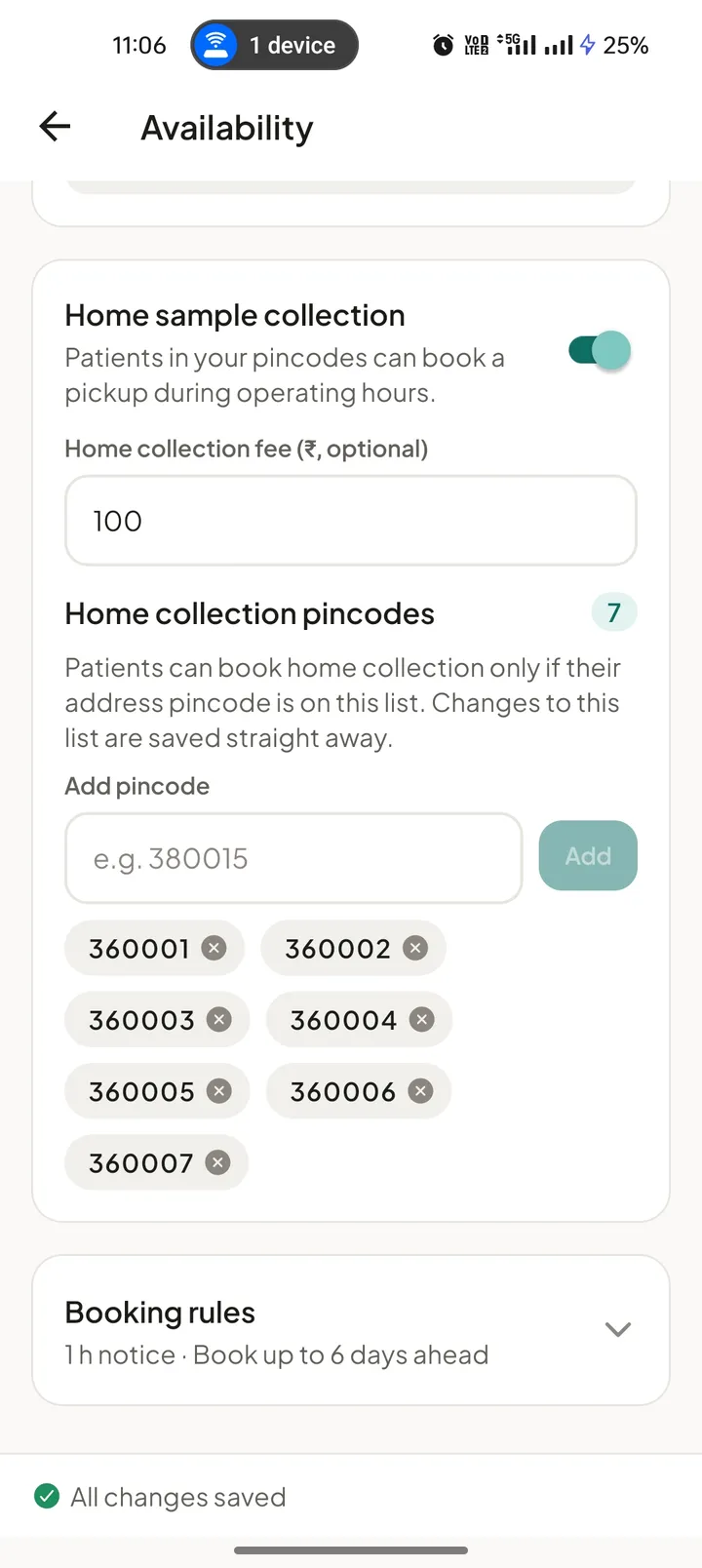
Home collection fee and the pincodes the lab covers. 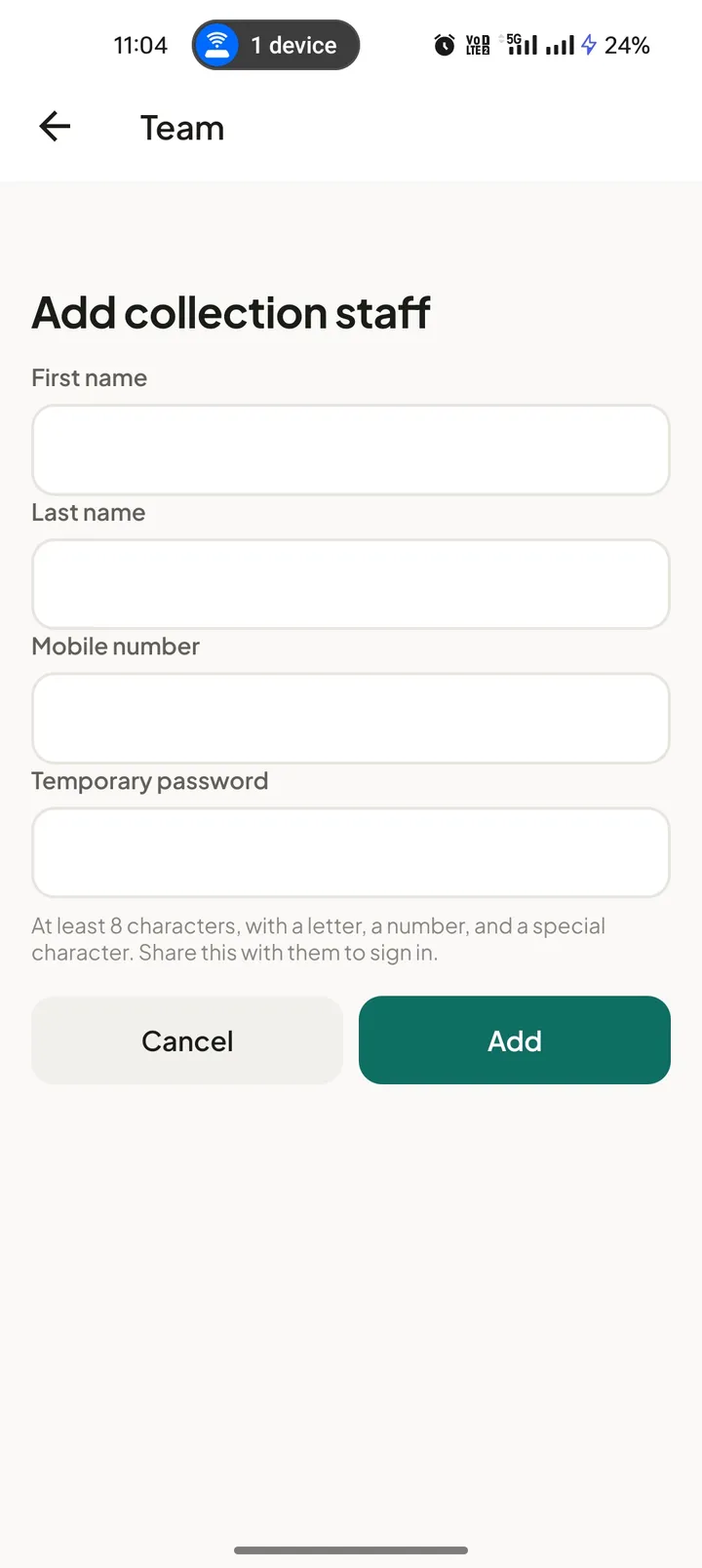
Collection staff with their own logins.
08 Onboarding
Every provider is reviewed by a person.
Doctors and laboratories sign up in their own apps in a few guided steps. The last step is a short video in which they read out a code shown on screen, which our verification team reviews alongside their documents. A profile becomes visible to patients only after it is approved.
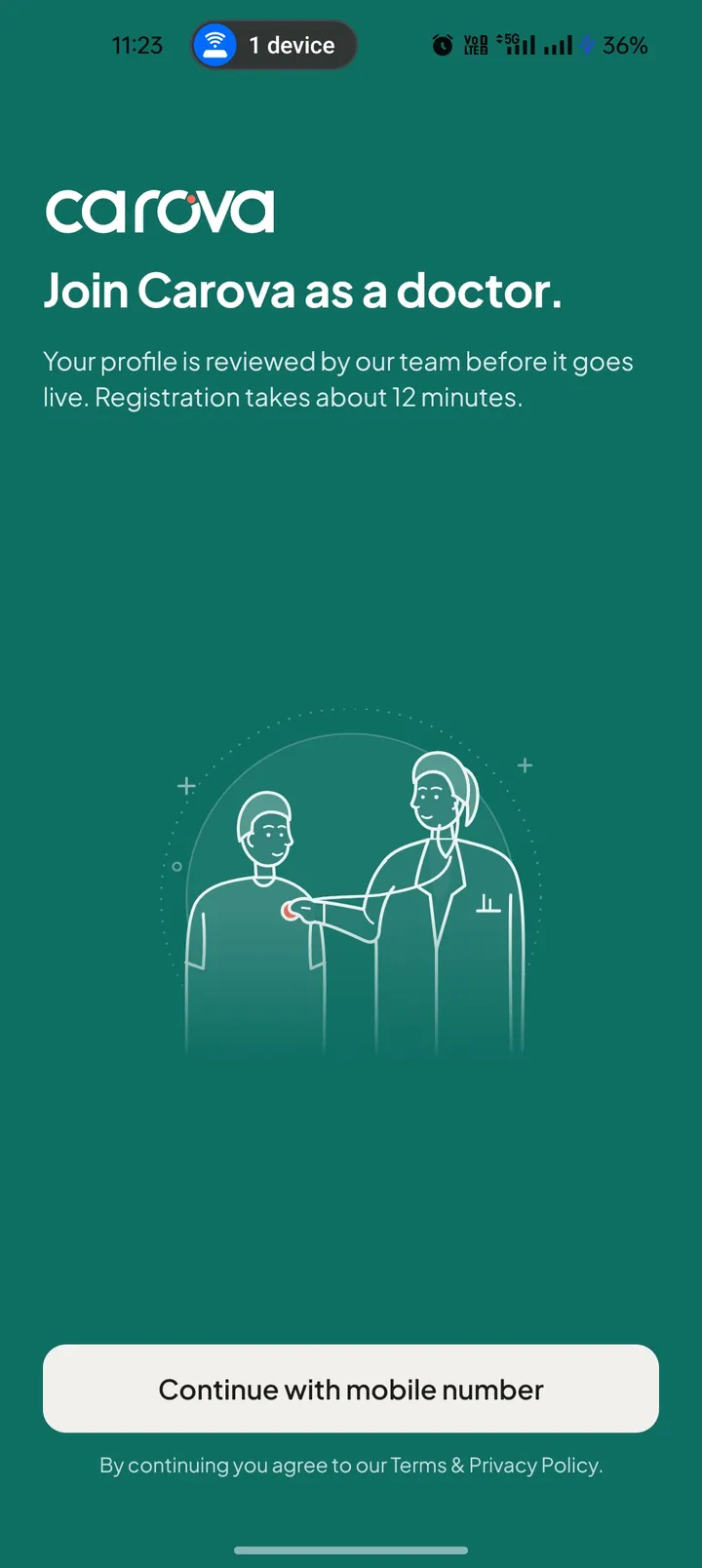
Registration starts in the provider’s own app. 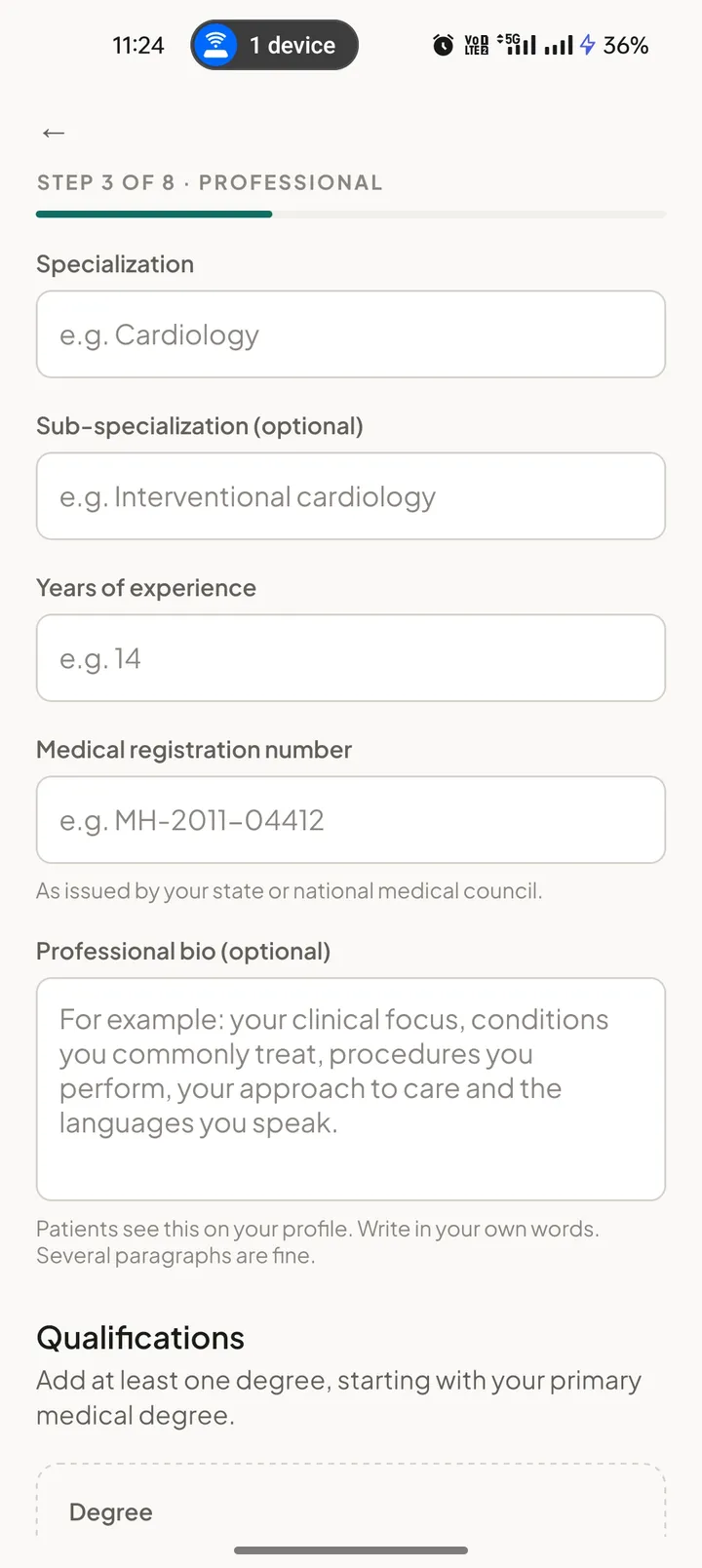
Specialisation, experience and medical registration number. 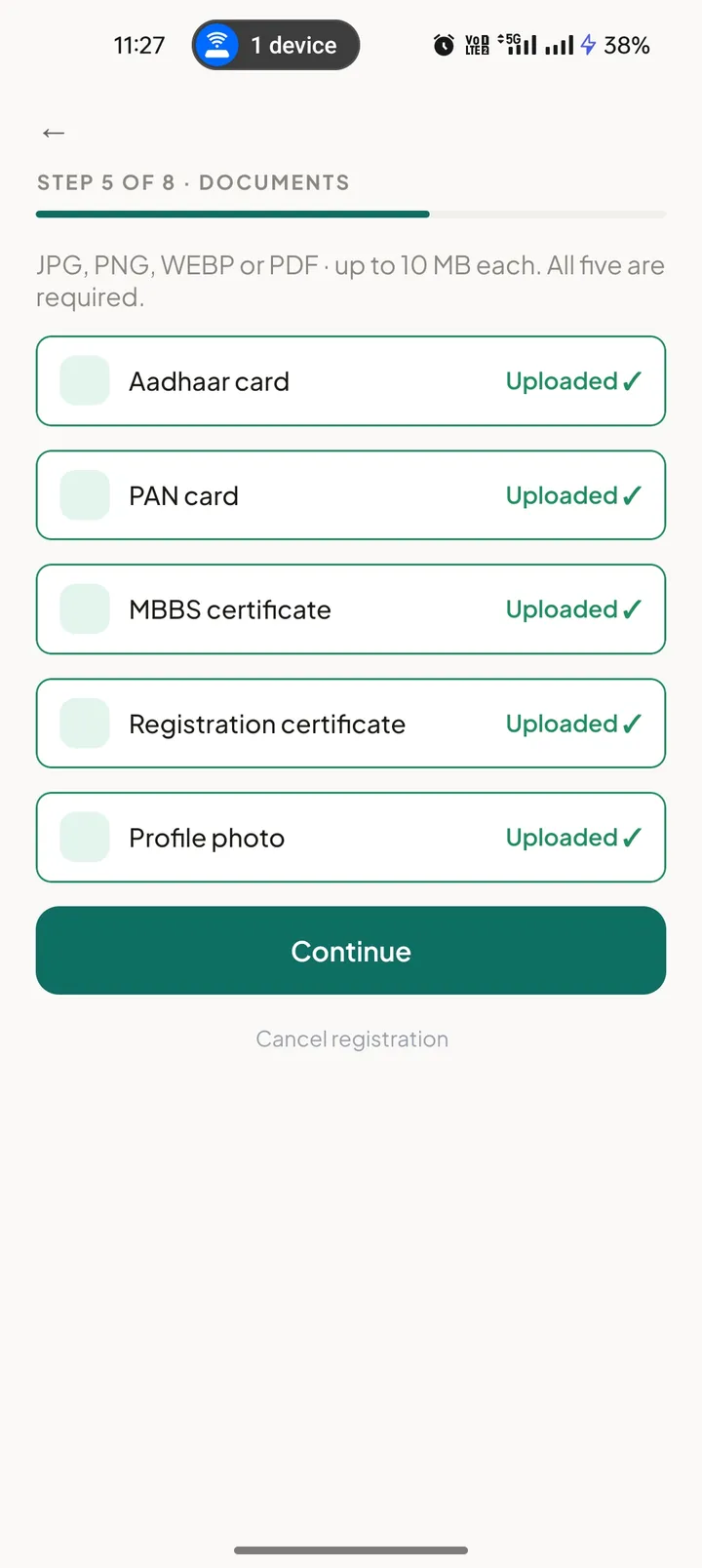
Identity, degree and registration documents. 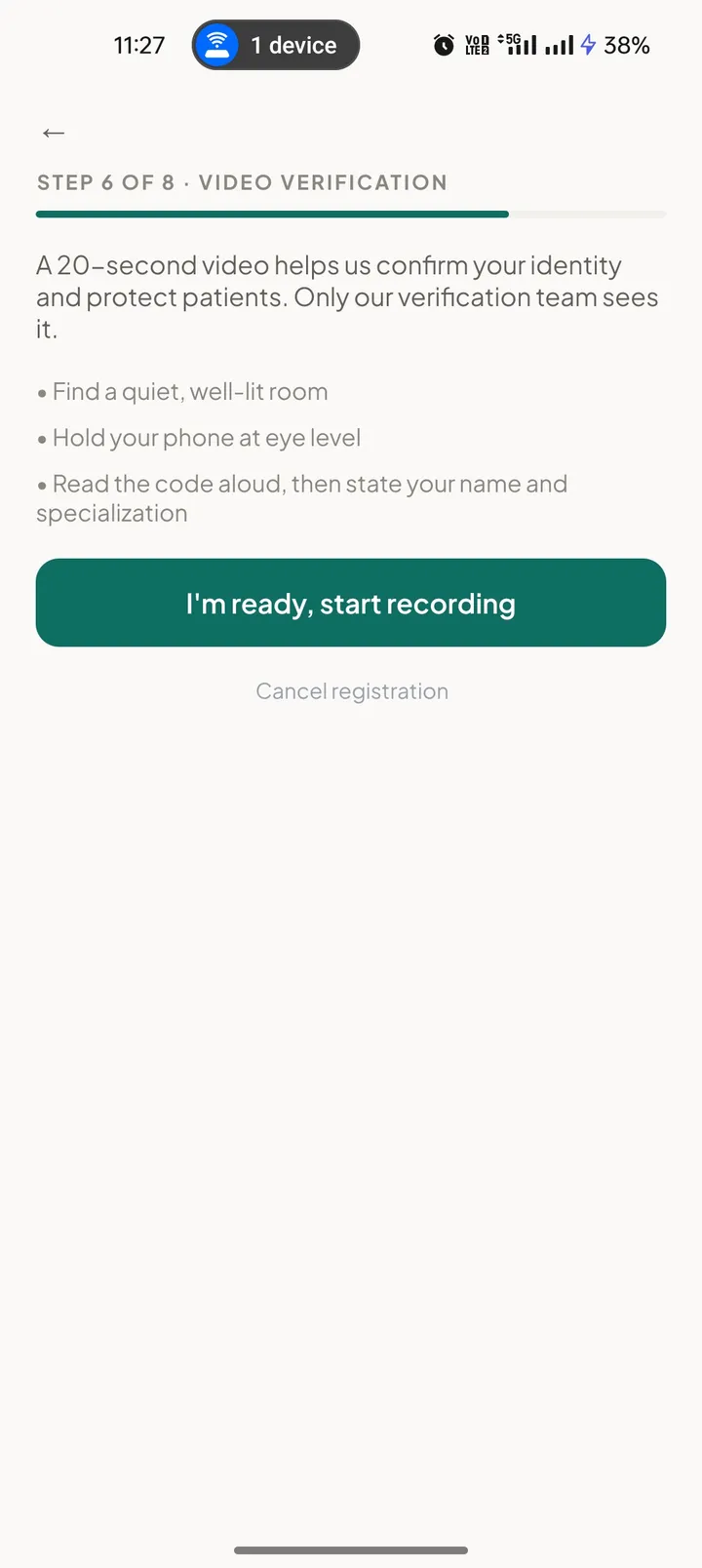
A 20-second video confirms the person behind the profile.
09 Admin console
The console that runs the platform.
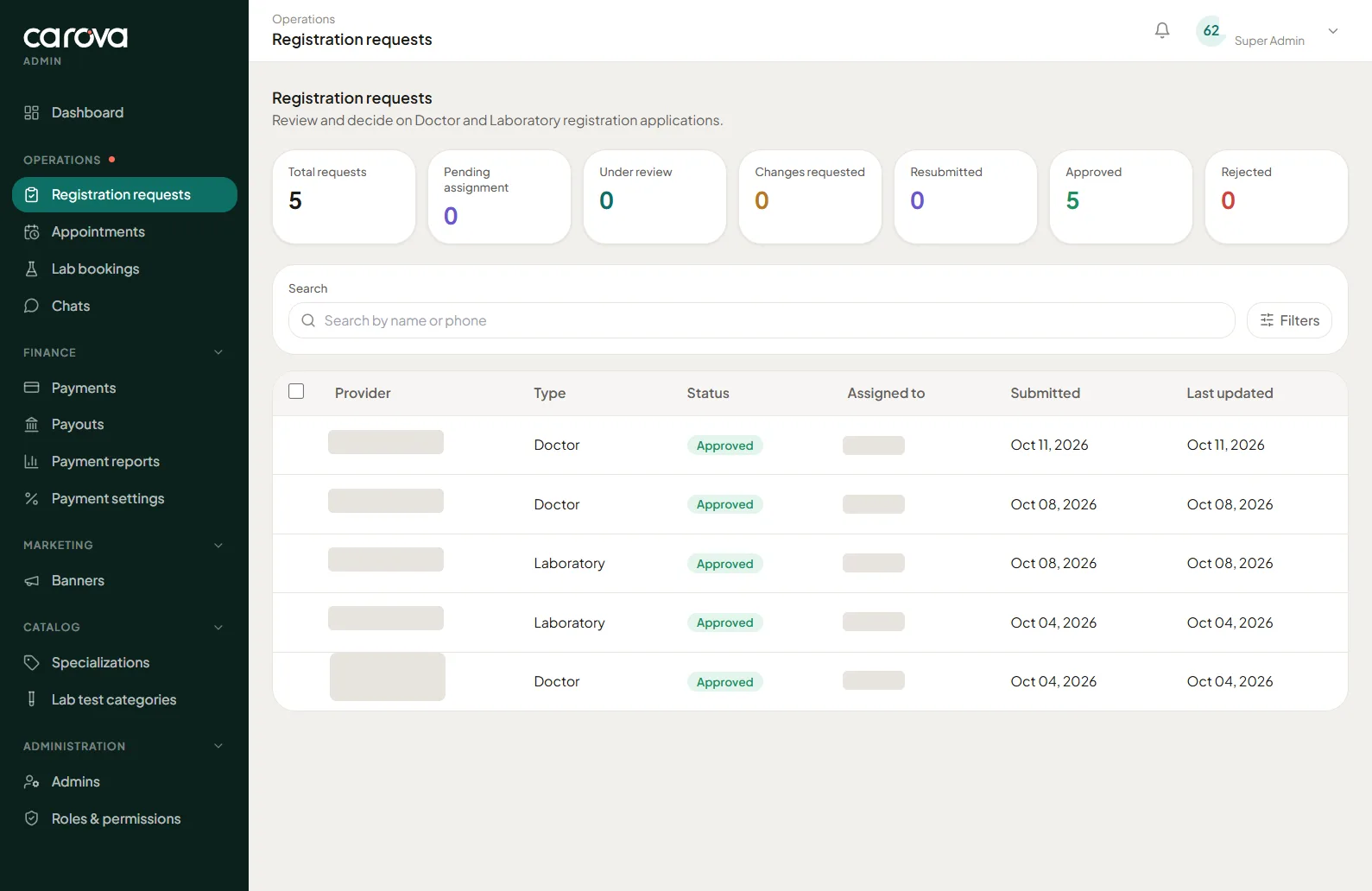
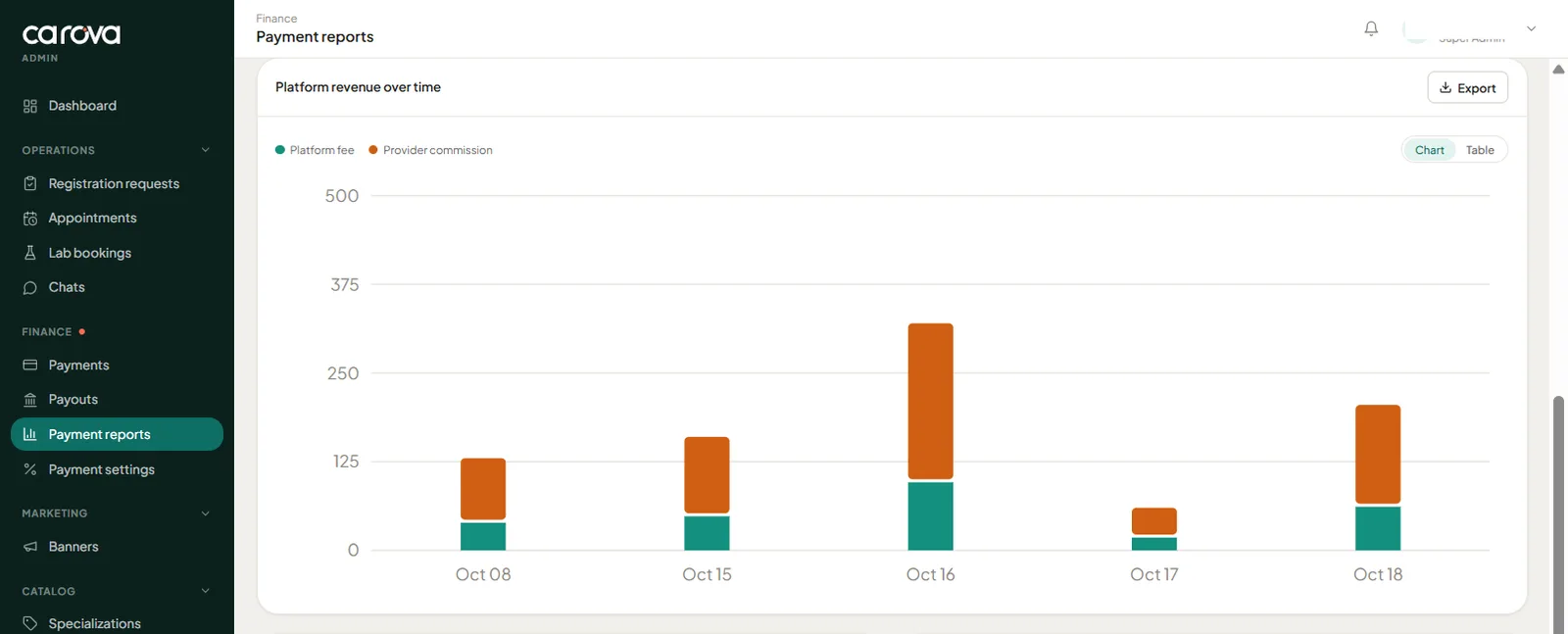
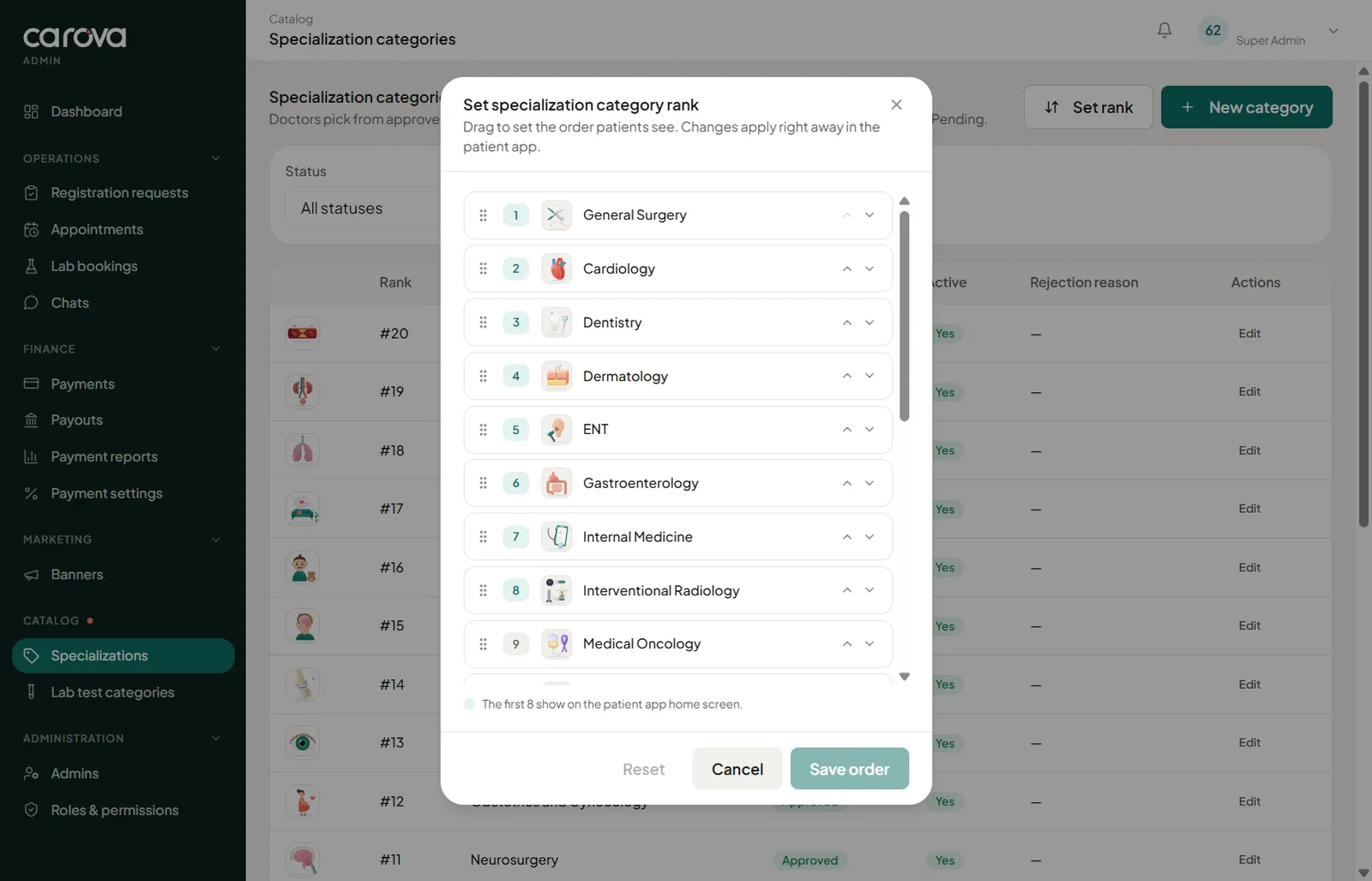
The Carova team works from a web console. It holds the verification queue, every appointment and lab booking, chats, payments, payouts and reports, along with the catalogue of specialities and test categories that shapes the patient app.
Admins and their permissions are managed from the same place, so access to payouts or provider data can be limited to the people who need it.
10 Engineering
The parts users never see.
Most of the work in a booking platform sits underneath the screens: keeping availability correct, moving money safely and making sure each person sees only what they should.
- 01
Bookings as a state machine
Each booking moves through explicit states with timestamps, shown as a timeline to the patient and the provider and as a status in the admin console.
- 02
Holds, expiry and refunds
Slot holds, request expiry windows set by the provider and automatic refunds are handled by the platform, not by someone remembering to check.
- 03
Split settlements
Payouts are settled through Cashfree. Every payment records the fee, commission, provider share and settlement status, and the console can check or retry a settlement.
- 04
Role-scoped accounts
Doctors, their assistant, lab owners and collection staff each sign in separately. An assistant can run appointments but cannot change fees, hours or security settings.
- 05
Locations people can trust
Clinic and lab addresses are confirmed on Google Maps. Patients see only the locality, and home collection is offered only inside the pincodes a lab serves.
- 06
A verification pipeline
Document upload, an in-app video with a spoken code, and a review queue with statuses for pending, under review, changes requested, resubmitted, approved and rejected.
11 Where it stands
Built, connected and ready for launch.
The three apps and the admin console are built and work together end to end, as the screens on this page show. Pre-registration for patients, doctors and laboratories is open on carova.in, and the public launch is planned for 1 January 2027.
For us, Carova is also proof of how we like to work: one team owning the product from the first idea to the tools that keep it running.
Personal details in the screenshots on this page have been masked.
What we delivered
- Carova, the patient app for doctors and lab tests
- Carova Doctor, for consultations, schedules and earnings
- Carova Lab, for tests, home collection, staff and reports
- Admin console for verification, bookings, payments and catalogue
- carova.in, with pre-registration for patients, doctors and laboratories
Next project
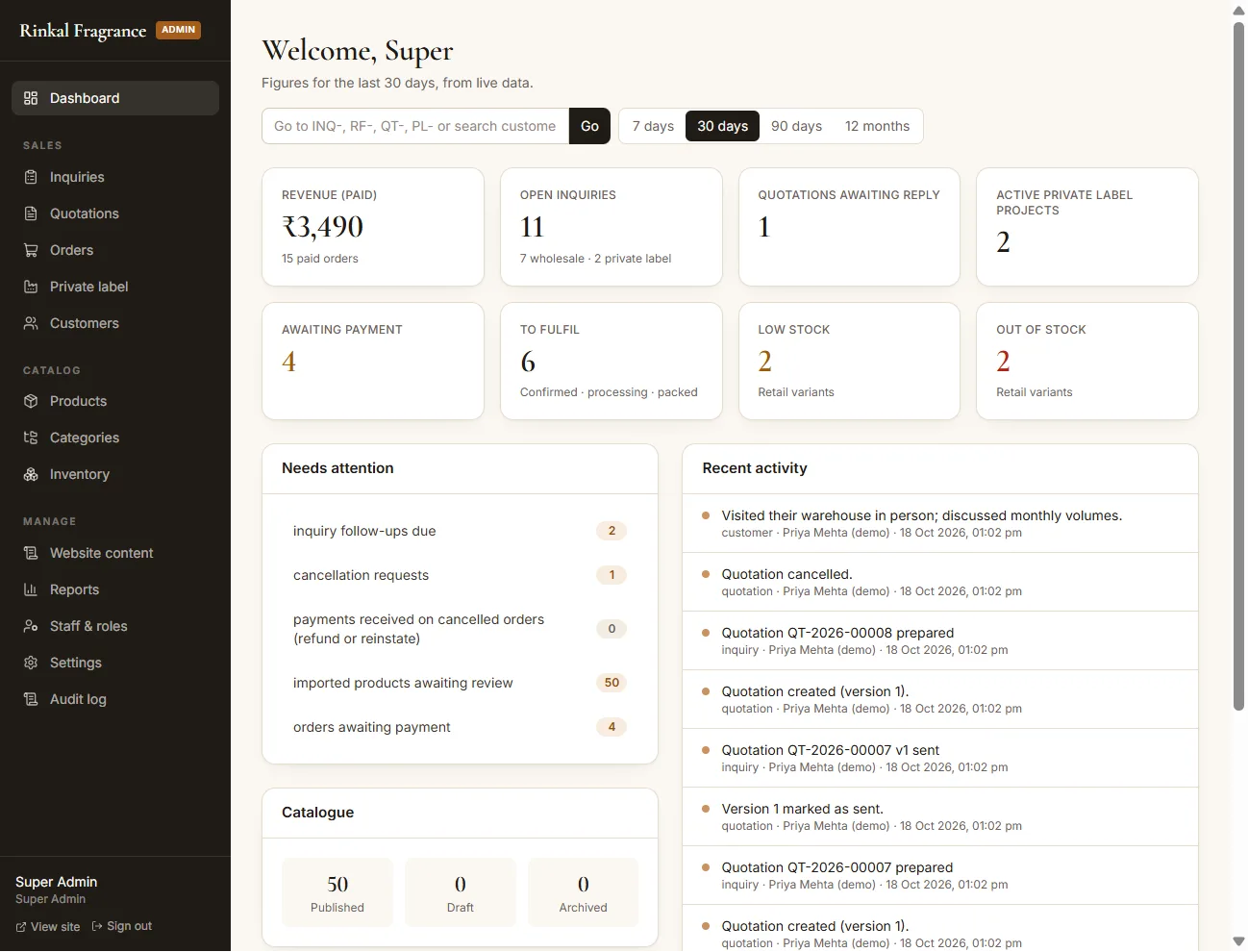
Rinkal Fragrance
A storefront and order desk for an incense manufacturer.
Read the case study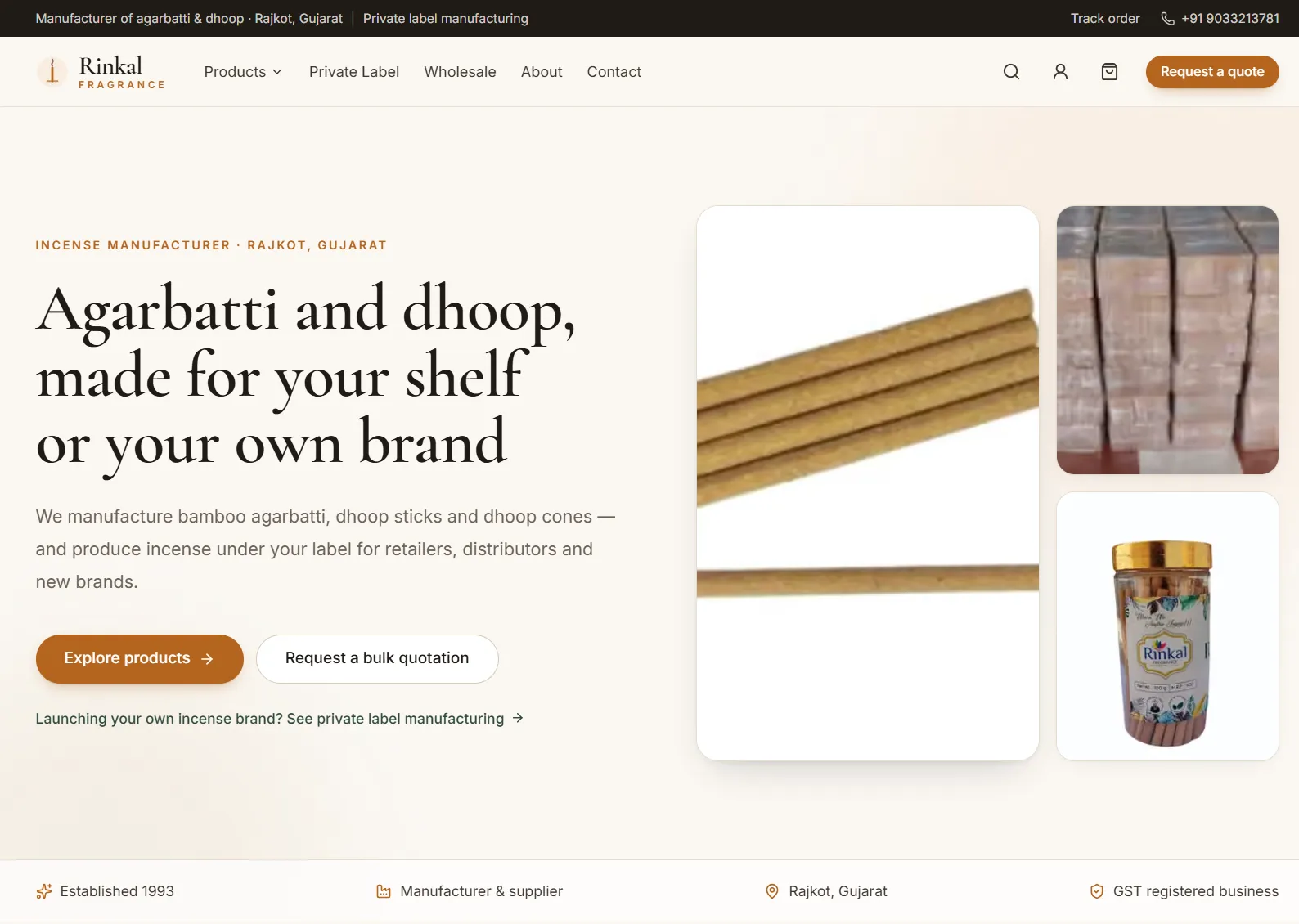
Start a project
Planning a platform with more than one kind of user?
Bookings, marketplaces, multi-role apps and the consoles behind them are the kind of work we know well. Tell us what you have in mind.